
My client asked me to turn the ads off (because they were working)
 Written by Benjamin Boman · · 2 min read
Case study: my client asked me to turn the ads off (because they were working)
A client was running an industry conference with tickets over $500. Events like this are scary to promote on Meta, because most people buy in the last few days.
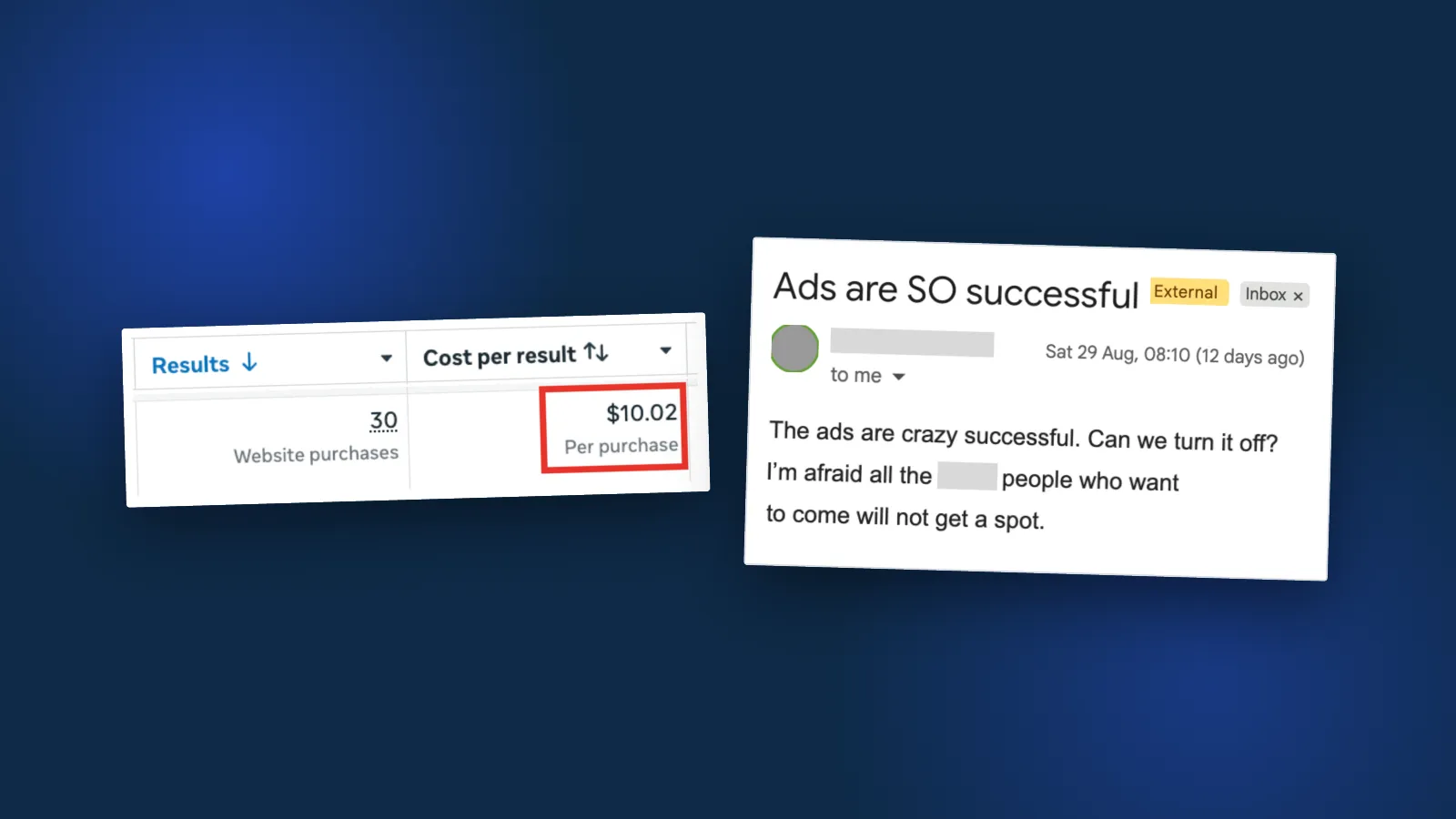
$300.74 in ad spend brought in 30 ticket purchases in Ads Manager, at $10.02 each. Conservatively, that’s $10k+ in revenue. Then the client emailed asking me to turn the ads off, worried their core attendees wouldn’t get a spot.
There was no clever media buying here. No expensive video either. People already wanted to see the speaker, and the ads just told them it was happening.
So if your ads aren’t converting, look at the offer before rebuilding the campaign. The same event can lead with the speaker or the outcome, or be bundled differently. AB test those first. That’s how I approach Facebook ads for sales in general: offer first, campaign second.
Tip: use saved audiences so targeting changes take one edit, not twenty
When I’m running a batch of test ad sets, they usually share the same targeting. Then the client comes back with a hard requirement. New age range, new locations, exclude a region, that kind of thing.
Clicking into every ad set and double-checking each one changed is slow. And it’s easy to miss one.
So I build the targeting once as a saved audience and apply it everywhere. When targeting needs to change, I edit the saved audience instead.
Something to keep in mind: every ad set using that audience changes at the same time, so they can all drop back into learning together. Plan the edit around that.
How to:
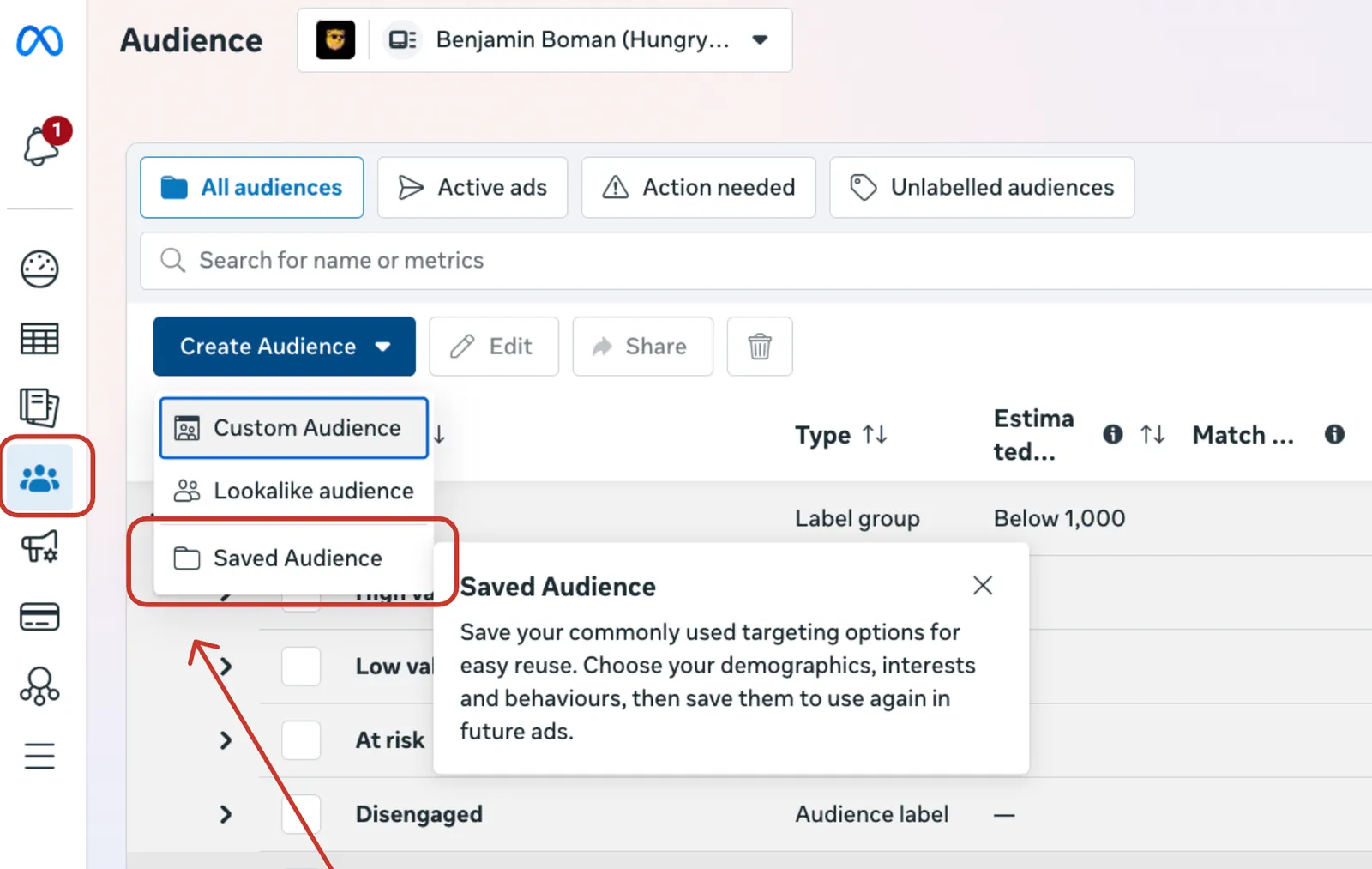
- Go to the sidebar on your ads manager and find the Audiences button
- Click the blue Create Audience button and select Saved Audience
- Add your typical targeting parameters, including toggling between Advantage+ or otherwise
- If needed, come back and edit the same audience to edit the adset targeting for all ads that use this saved audience later
Done.
If you’re after ideas for the ads themselves, here’s where I find lead gen ad inspiration without the Ad Library.