
How I name Facebook ads so I can see which formats work
 Written by Benjamin Boman · · 4 min read
Last year I wrote about the file naming protocol I use in my post on making image ads. It’s changed a fair bit since, mostly because of one problem.
Something I’ve noticed recently in Meta ad accounts I’m auditing and managing is that after a few months of testing, nobody remembers which ads were before/afters, which were testimonials and which were us vs them. And Ads Manager won’t tell you.
So here’s the naming convention I use now, and why the format code is the bit that matters most.
Why bother naming ads properly?
The usual advice is to test lots of creative. Sounds great, right?
But the problem was - Meta reports on ads, not on ideas. It can tell you ad 14 got cheap leads. It can’t tell you that ad 14 was a before/after, and so were ads 3, 9 and 22.
Which made me realise - the ad name is the only place that information sticks. If the format isn’t in the name, it’s basically gone once the ad stops spending.
The pattern I use
persona_angle_type-format##_copy
For example:
all_m1_img-baa01_h1-d1-b1
Which reads as all personas, messaging angle 1, image ad, before/after format concept 1, headline 1, description 1, body copy 1.
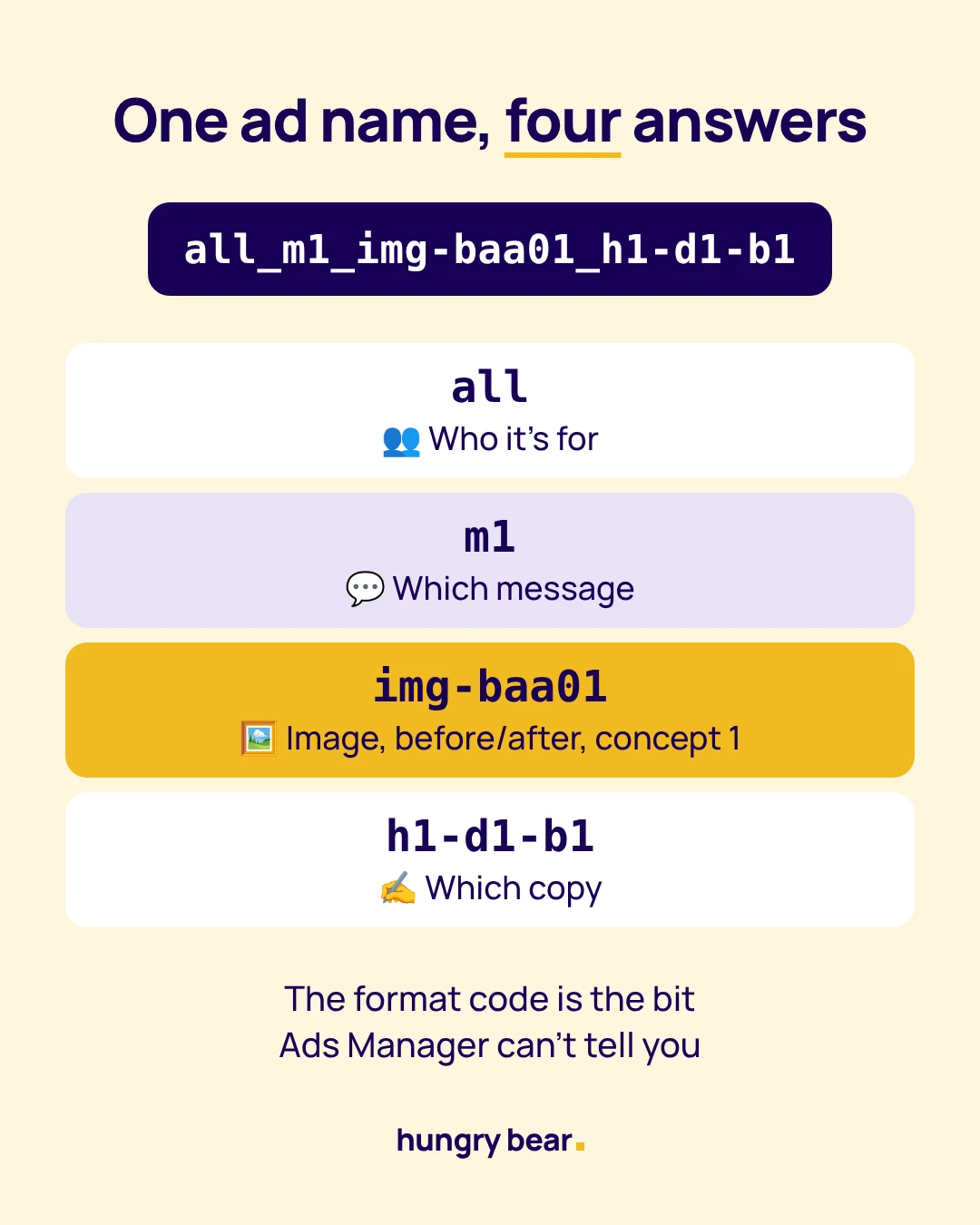
It looks like a lot. But once you’ve typed it a few times it’s honestly faster than making something up each time.
1. A 3-letter format code
Slightly boring, but effective: every format gets a 3-letter code, and every ad name carries one.
A few of the ones I use most:
- baa = before / after
- qte = single quote or testimonial
- uvt = us vs them
- hdl = headline only
- lst = list (points or steps)
- ugc = UGC video
- typ = text only (typographic statement)
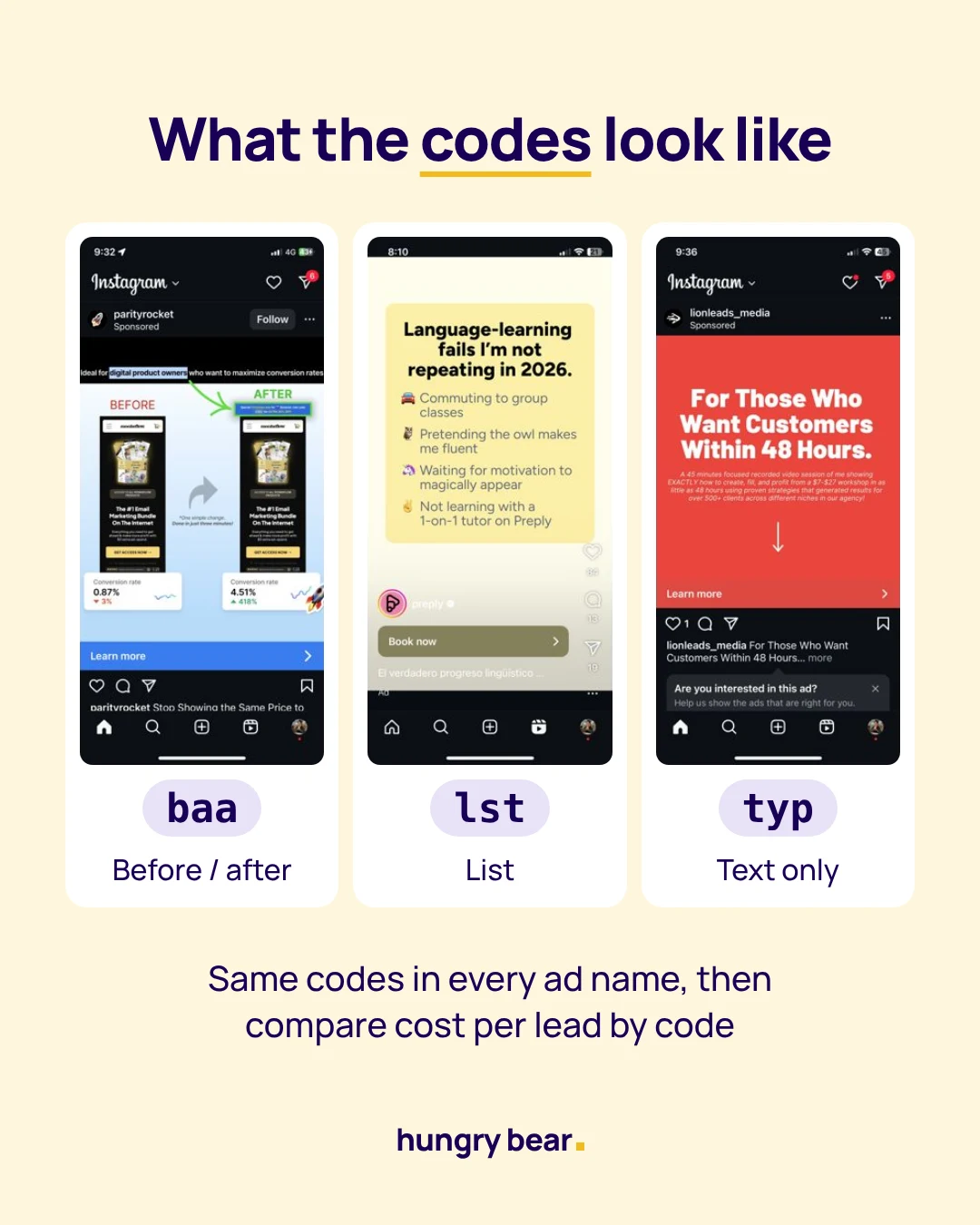
These aren’t my ads, just examples from my feed to show what each format looks like.
The number after it is the concept. A new concept or new script gets a new number (baa01, baa02). A variant of the same concept, like a new headline or a new video hook, gets a letter (baa01b, baa01c).
Side note - I keep the full list of codes in one doc and add a new code there before using it in a name. Otherwise you end up with “baa” and “bfa” meaning the same thing, which defeats the whole point.
2. A number for each messaging angle
The angle is m1, m2, m3 and so on, matching the messaging angles in the client’s copy doc. So “m1” might be “save time” and “m2” might be “avoid a costly mistake”.
This is what lets you see whether a format is winning or whether it’s actually the angle doing the work. A before/after with the wrong message can still flop.
3. Labels for the copy
The last chunk says which copy is running. h1 for the ad headline, d1 for the description, b1 for the body copy, joined with a dash. So when something works, I can find the exact copy behind it later without opening the ad.
4. Compare by format once a month
This is where it pays off. In Ads Manager I search for a code (say “baa”) and compare cost per lead against “qte” or “uvt” over the same dates.
If you’ve connected the Meta MCP connector to Claude, you can skip that and just ask it to group results by format code.
I can’t prove it, but my guess is most accounts have one or two formats doing the heavy lifting. The naming just makes it visible.
A few rules that keep it clean
- Underscores go between fields, dashes go within a field
- No client name in the ad name, because the ad account already tells you whose it is
- If there’s no persona, use “all”, so every name has the same number of fields
- Carousel slides get “-s1”, “-s2” on the file names only
It’s not perfect. Meta still truncates long names in some views, and it relies on everyone actually following it. But it’s early days for a lot of the AI tools that read these accounts too, and clean names make their job (and mine) a lot easier.
If you’ve found a naming system that works better (or the opposite)… I’d love to hear about it.