
A simple explanation of the Meta Business Suite
 Written by Benjamin Boman · · 3 min read
Most people find this really confusing to work with and navigate so here is a quick guide to the Meta ecosystem from an advertising point of view.
Quick Overview
What is the Meta Business Suite? It’s essentially Meta’s set of tools that you use to run ads or promote your business on Facebook and Instagram.
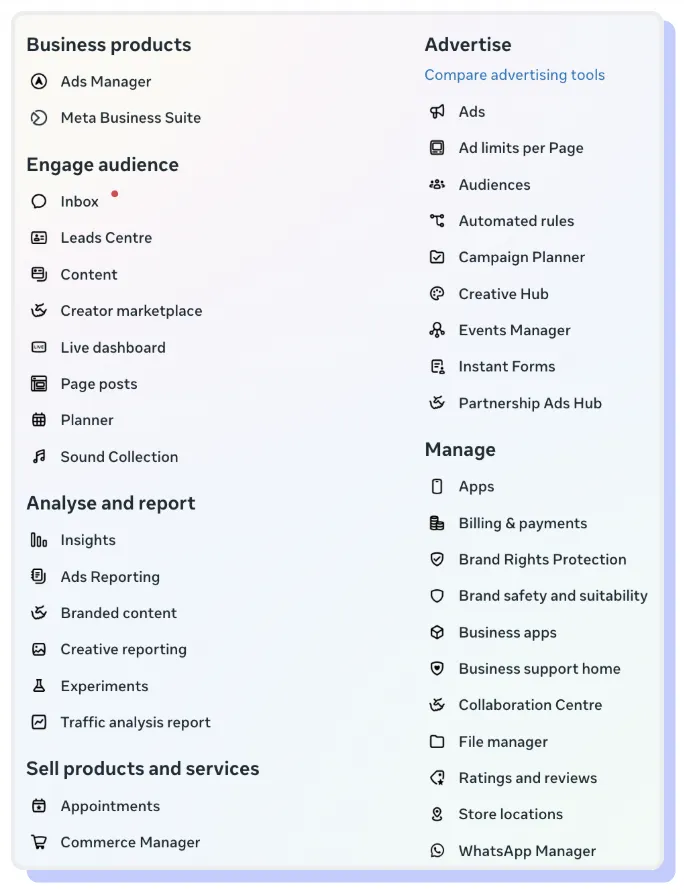
It includes tools like:
- Ads Manager
- Creative Hub (for pre-building ads)
- Events Manager (for managing pixels/datasets)
- etc
There are dozens of tools in the suite, and they each change all the time, including what they’re called.
But it is just one part of the overall ecosystem, which includes a few key parts:Here’s what each of them are:
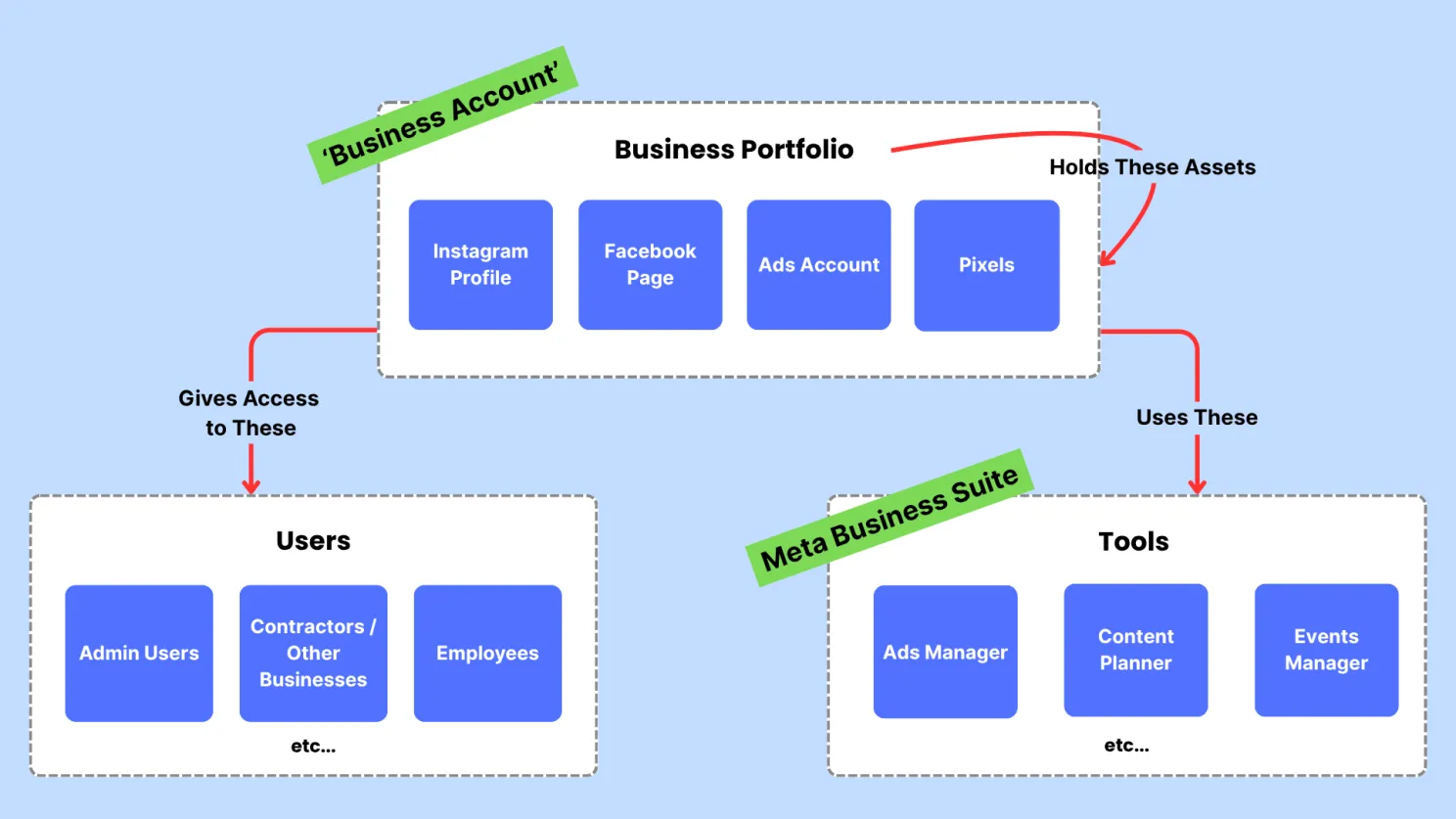
- Users which are the individual Facebook personal user accounts. You, me, whoever. They are required to use the Meta Business Suite.
Note: do not create a fake or catchall brand account and share. one this leads to constant battles over 2FA and logging in, but also can get the account banned or flagged (link).
- Assets are your Facebook pages, Instagram profiles, advertising datasets (aka pixels), catalogues and other data sources etc.
All assets are created by individuals before they’re added to a Business Portfolio, which is…
- Business Portfolio, which is like a business account on Facebook. It’s an entity that can own and control your business assets, rather than an individual.
Once you have a Business Portfolio set up correctly, you can grant access to multiple people including employees, contractors, other admins, with different levels of control.
- Partners are other Business Portfolios, usually agencies, that you can share access to your Business Portfolio as if you were sharing access to another person.
Because they are their own Business Portfolio, they can grant access of different levels to your assets to their team members without you adding and removing them individually. This is also how agencies share client accounts with me when I do white label Facebook ads work for them.
- Tools. These are things like the Ads Manager, Events Manager, Scheduler, etc that help you use or manage the assets in your Business Portfolio.
You can grant individual users access to different levels of control of these tools based on their permissions on an asset level.
How to navigate to your Business Portfolio
So, usually you will want to control the settings of your business portfolio, or get to an individual tool / asset.
To navigate to your portfolio for the first time, go to here https://business.facebook.com/ and click the menu in the top left corner. Then click your portfolio.
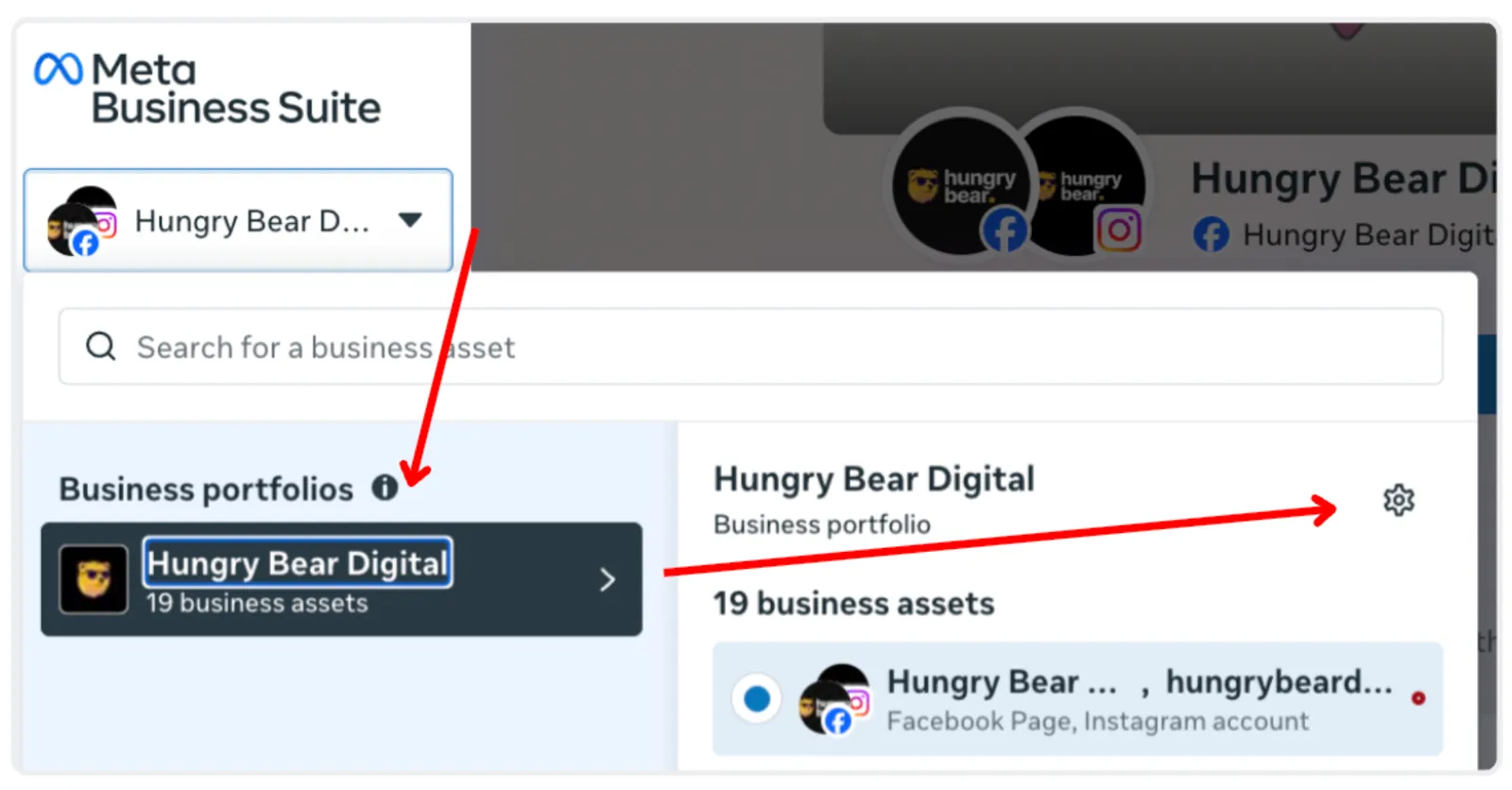
If you’re already using a tool of the Meta Business Suite already, you can always click the same menu in the top left, and then the gear icon to navigate back to your portfolio to edit its settings (like adding a new asset such as a page, profile or pixel.
FAQ
Q. Can I create a Facebook Ads account without a Facebook account?
A. Sadly, no. Everyone needs a personal Facebook user account to use the Meta Business Suite.
Q. How to get Setup on Meta Business Suite?
A. You need to create your business assets first with your personal profiles, then create Business Portfolio, then add your assets to it.
Worth reading next, since most of it happens in here: why ad accounts get banned and how to avoid it.