
How I make lead gen ad images with Claude Design (not ChatGPT)
 Written by Benjamin Boman · · 10 min read
I run Meta ads for lead gen clients. I’ve got a designer, but I save him for the trickier design work. For everything else, I use Claude Design to make the first drafts these days.
A lot of people seem to be pasting reference ads into ChatGPT or Gemini, so I thought I’d write down the process I use instead, in case it’s useful. It covers:
- Why I don’t just paste a reference into ChatGPT or Gemini
- Where I find ad references (Adspo and Meta’s MCP)
- Matching each reference to a messaging angle
- Building the whole batch on one Claude Design artboard
- Editing in batches, and retrying the duds
- How I name the ads so AI can make sense of the results later
If you want more on finding references, I wrote about where I get Facebook ad inspiration. And the older, by-hand version of this process is in how to make image ads.
Transcript
I run Meta ads for lead gen clients, and I have a designer, but I save him for the most challenging design tasks. For everything else, I basically use Claude Design to generate the first drafts.
So this is the process that I use, and it’s different from what a lot of people are doing.
Why AI ad copies fail
I notice a lot of people in the space basically find a cool reference from somewhere like Twitter, and then pop it into something like Gemini or ChatGPT to generate the image.
You probably have a way better prompt than this, but basically, you ask it to recreate the ad for your particular business. You ask it to reference the original screenshot and produce a new ad with the source information.
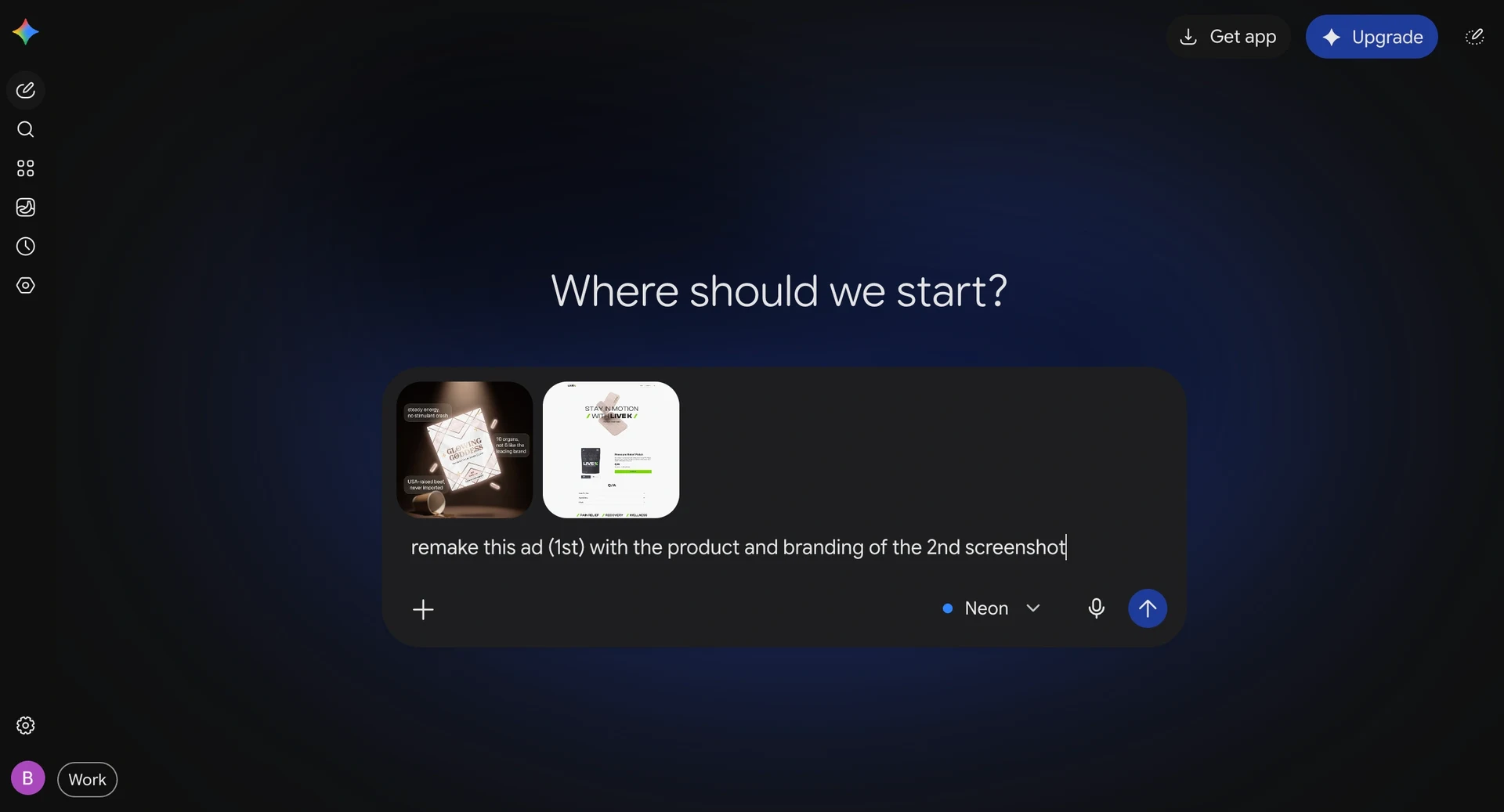
But the problem with that is:
- Sometimes it’s a bit crap
- It’s hard to iterate, because you have to chat back and forth: increase the size of this, bring this down, or whatever it is
- It’s slow, because you’ve got to do it one by one
- Often it’s too similar to the reference, so you risk copying things, basically
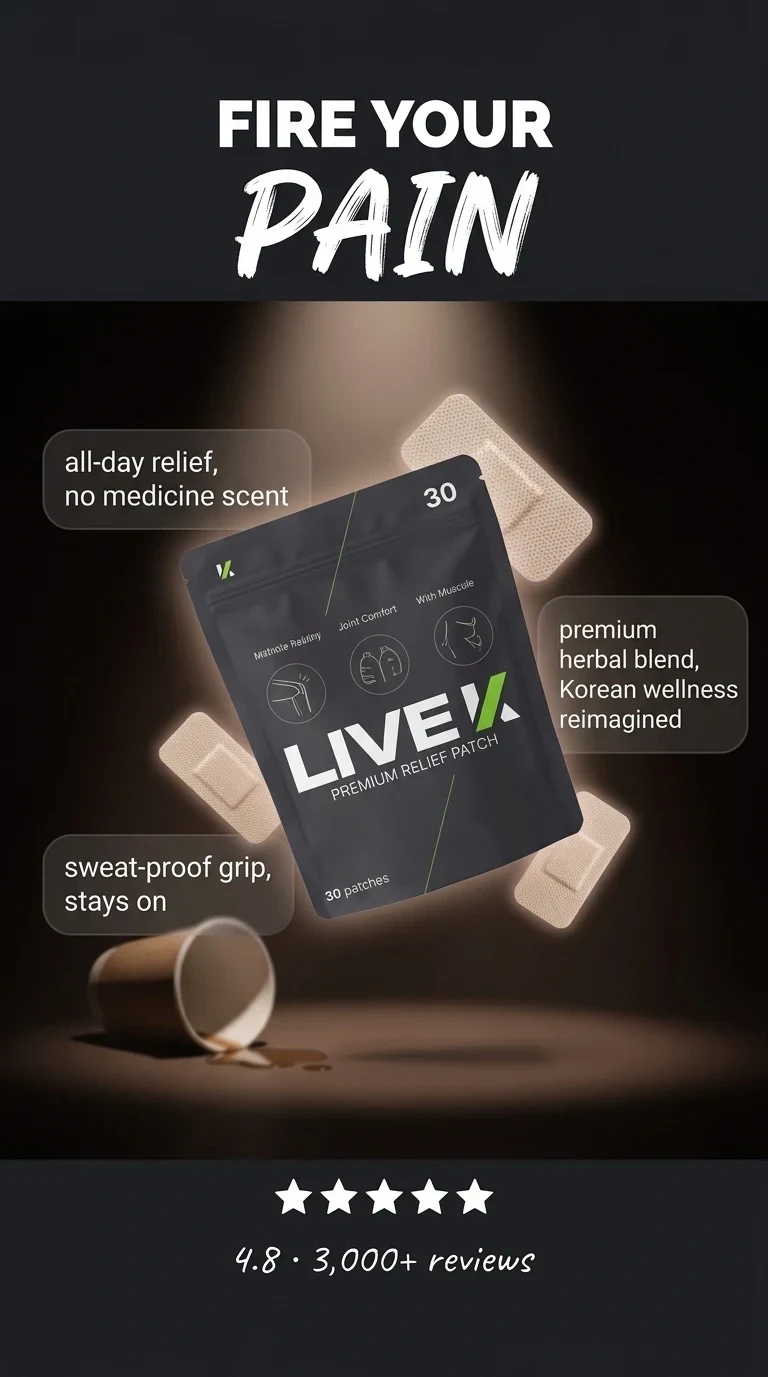
So what I do instead is: source the reference ads, sort them by messaging angle, create an artboard on Claude Design, and then launch the ads themselves. I’m going to go through this step by step.
Finding ad references
The first thing is you need to find references to use when you create your ads.
I’ve tried in the past just asking it to make ads based on text, like “I want ads that look like this”. It generally always performs better when you give it a specific reference to work from.
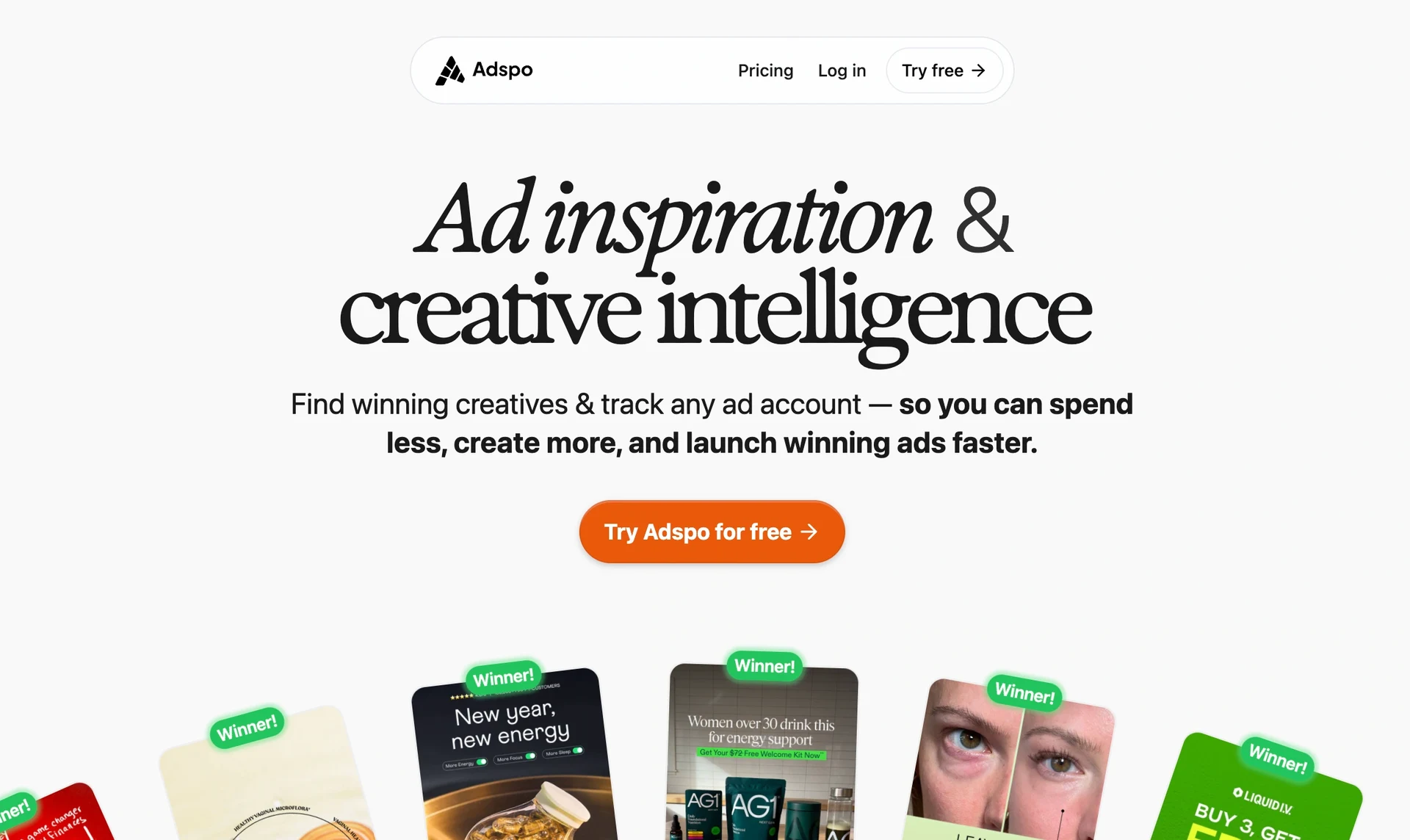
So I use Adspo. It’s a bit like Foreplay, but I find the pricing is better, and it’s got MCP access via Claude. So you can just prompt Claude to access Adspo and collect some references for you from different brands.
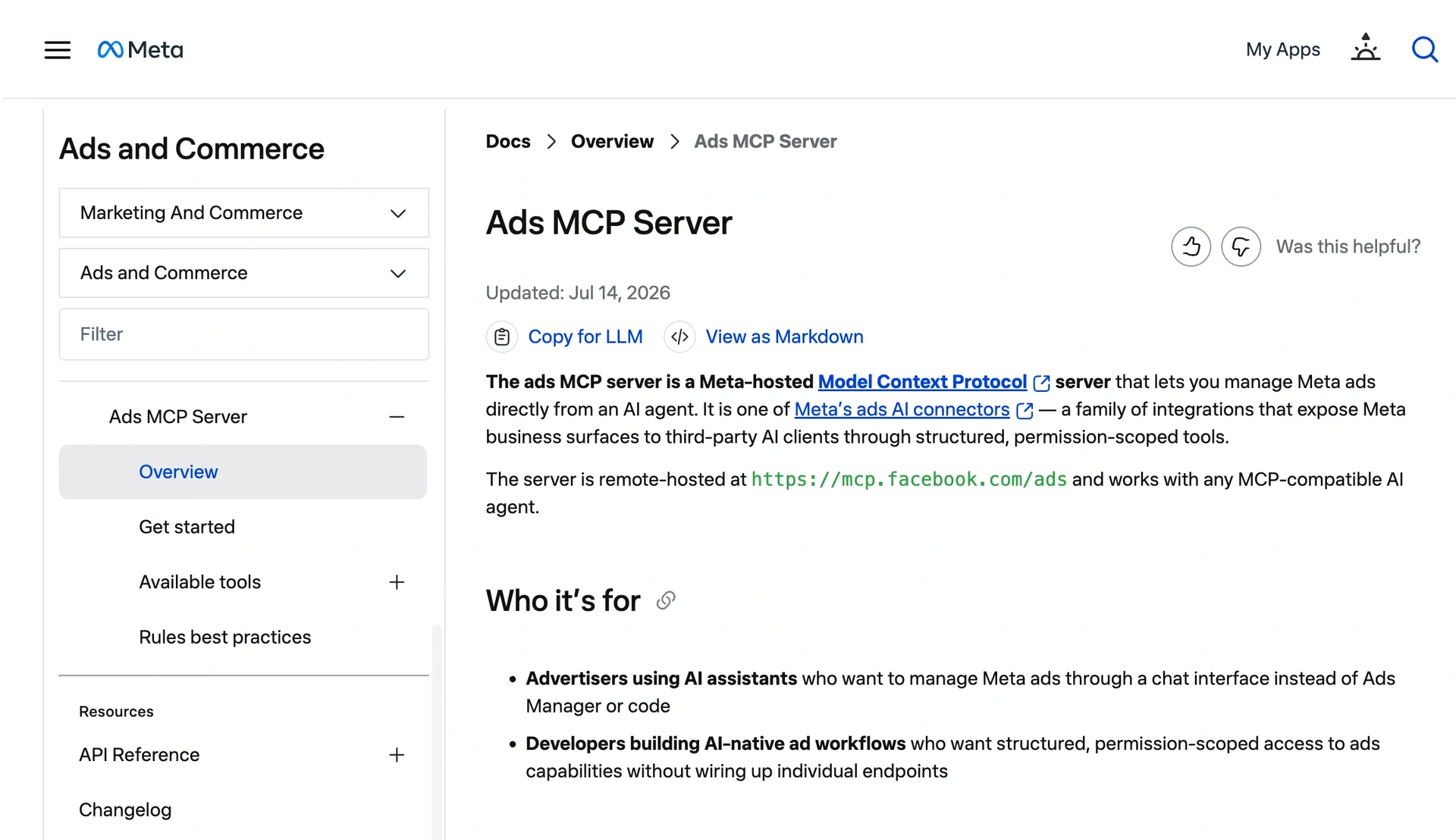
The other thing you can do is connect to the official MCP server from Meta itself. It’s pretty straightforward to do, but once you connect, you can ask Claude or ChatGPT to find competitor ads in the space that you can reference as well.
Here’s the prompt I use to find the ad references with Adspo and Meta’s MCP. You’d put your actual business or client in place of “digital marketing agencies”:
use adspo + meta's official MCP to find me 10 long-running, most spend ads for digital marketing agencies that I can use as ad references. static images only.
If you don’t say “static images only”, it’s going to give you a lot of videos, because they’re more popular at the moment. So just make sure you mention that.
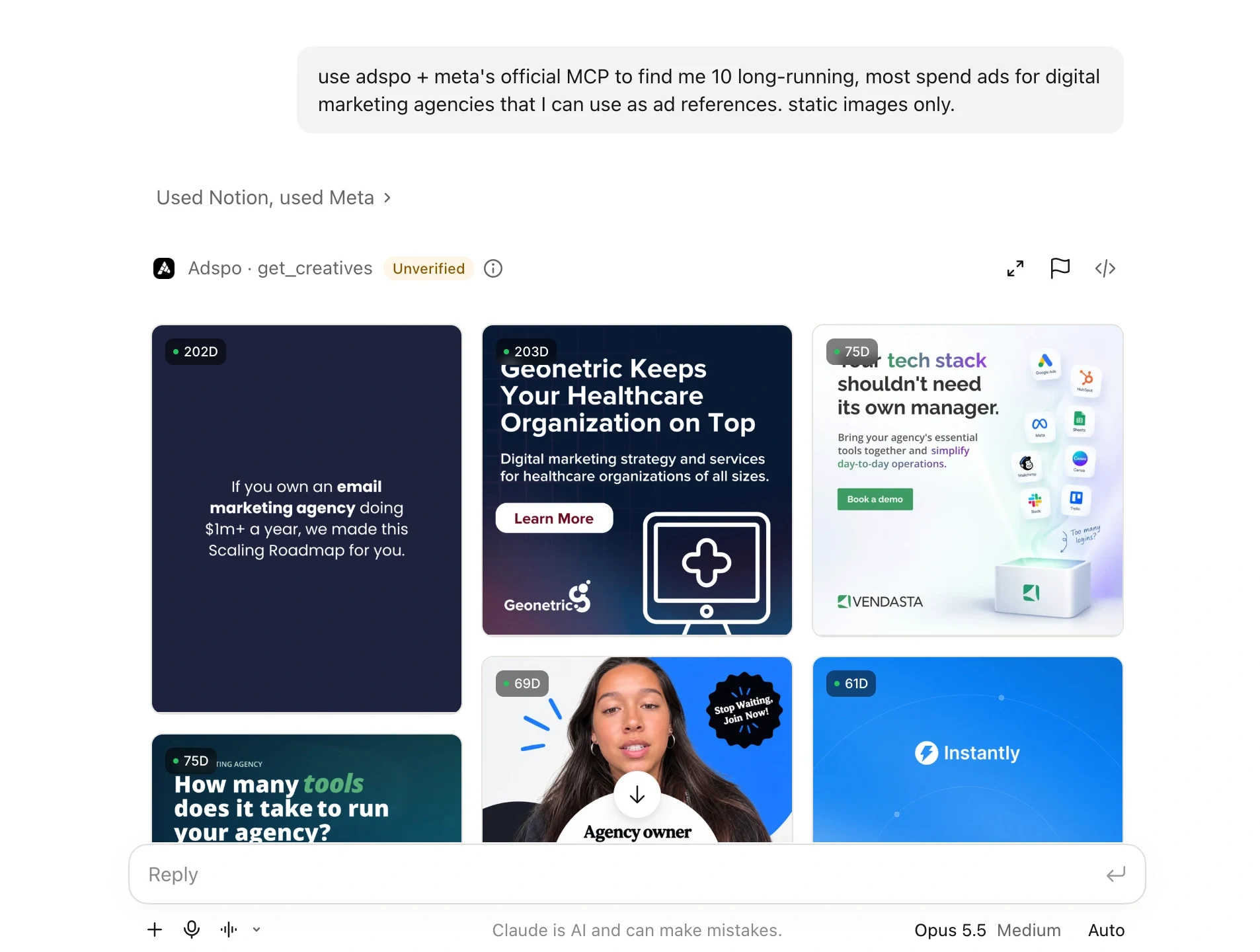
You’ll get a list, which you can then export into a folder. You can save them into a Google Drive, which is also where you can store ads you see while you’re browsing around. So you screenshot things on your phone as they come up in your feed, and upload them to your computer. You can organise them if you want, but that’s not necessary.
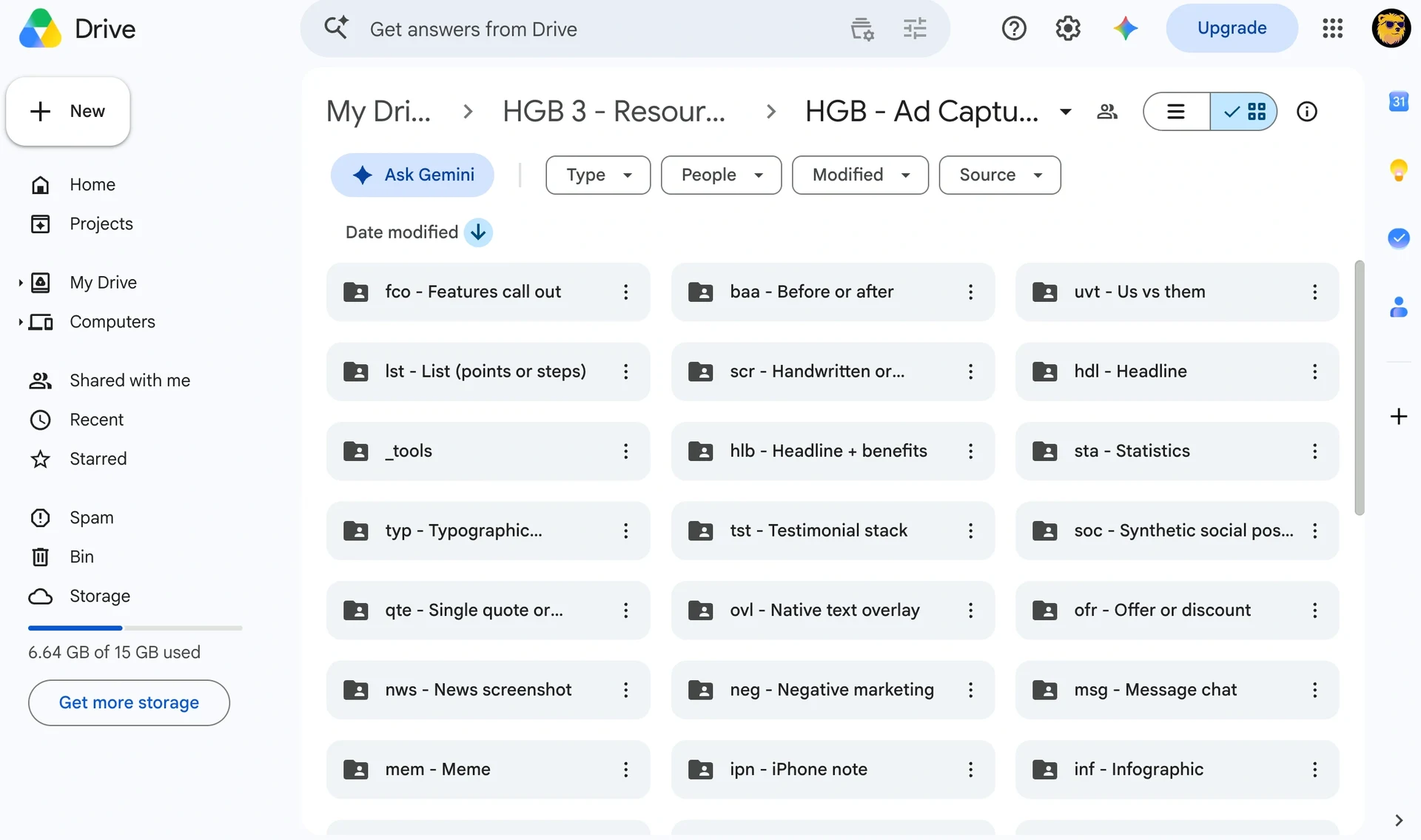
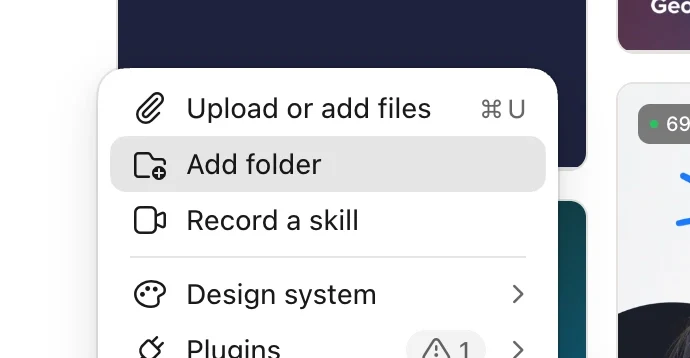
Once you have the references, you’re ready to go. As you continue this process in Claude or ChatGPT, you can add that folder of references as well.
Choosing messaging angles
Next, we need to get the messaging angle.
There’s a temptation to just copy the ad reference, or create ads based on the reference. But it’s a bit out of the blue, because you don’t know what message or messaging angle was driving that creative format. For example, if you’re using a before and after reference, you’re just sort of assuming the ad is going to be based on a before and after concept.
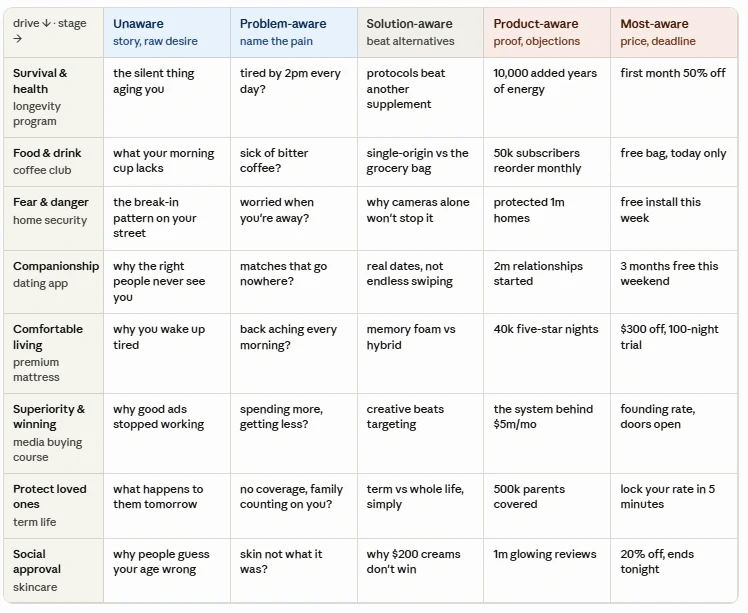
It’ll make more sense when I explain this. Dakota Hermes on Twitter came up with this really cool idea. I don’t know if he was the first to do it, but basically, you organise messaging by Eugene Schwartz’s five awareness stages:
- Unaware
- Problem aware
- Solution aware
- Product aware
- Most aware
Times the Life Force 8, from the guy who wrote Cashvertising (Drew Eric Whitman). That gives you a matrix of messaging angles that covers the entire spectrum of how you could communicate with your target audience or buyers.
hear me out: stage of awareness (schwartz) times life force 8 (cashvertising) = insane number of ad angles
So this is what I mean by the matrix. You have all these different options for how you could put things to your clients or ad viewers.
Matching personas and messages
Once you have this matrix, you can prompt AI to match the references with a messaging frame.
Say you have two different personas, and two different messaging angles, for example comfortable living versus fear and danger. You’ll end up with combinations: persona A with comfortable living, persona A again with fear of loss, then persona B with comfortable living.
So you can see how you end up with combinations of messages for your different personas using this matrix.
Another example: maybe you’re a vocal training school. You might be targeting parents and university students. For parents, the messaging angle might be “they’re not going to make it”, so fear of loss for their kids. For university students, you can use the same angle, or something easier, like a higher likelihood of success.
Building the artboard
Once you have those, you can match them with the references. Here’s the prompt I use. My target audience is career training schools, so you’d put your actual audience in:
for my target audience, of career training schools, which of these cells are likely to apply based on market research. match these with the ad references you found, if any fit (do not force it). make an artboard with the cell -> reference with a space next to it.
You can attach real market research that you’ve done. And attach the matrix too.
It’ll generate an artboard with the different messaging angles for that persona, next to the reference it found. You can handle multiple personas at the same time.
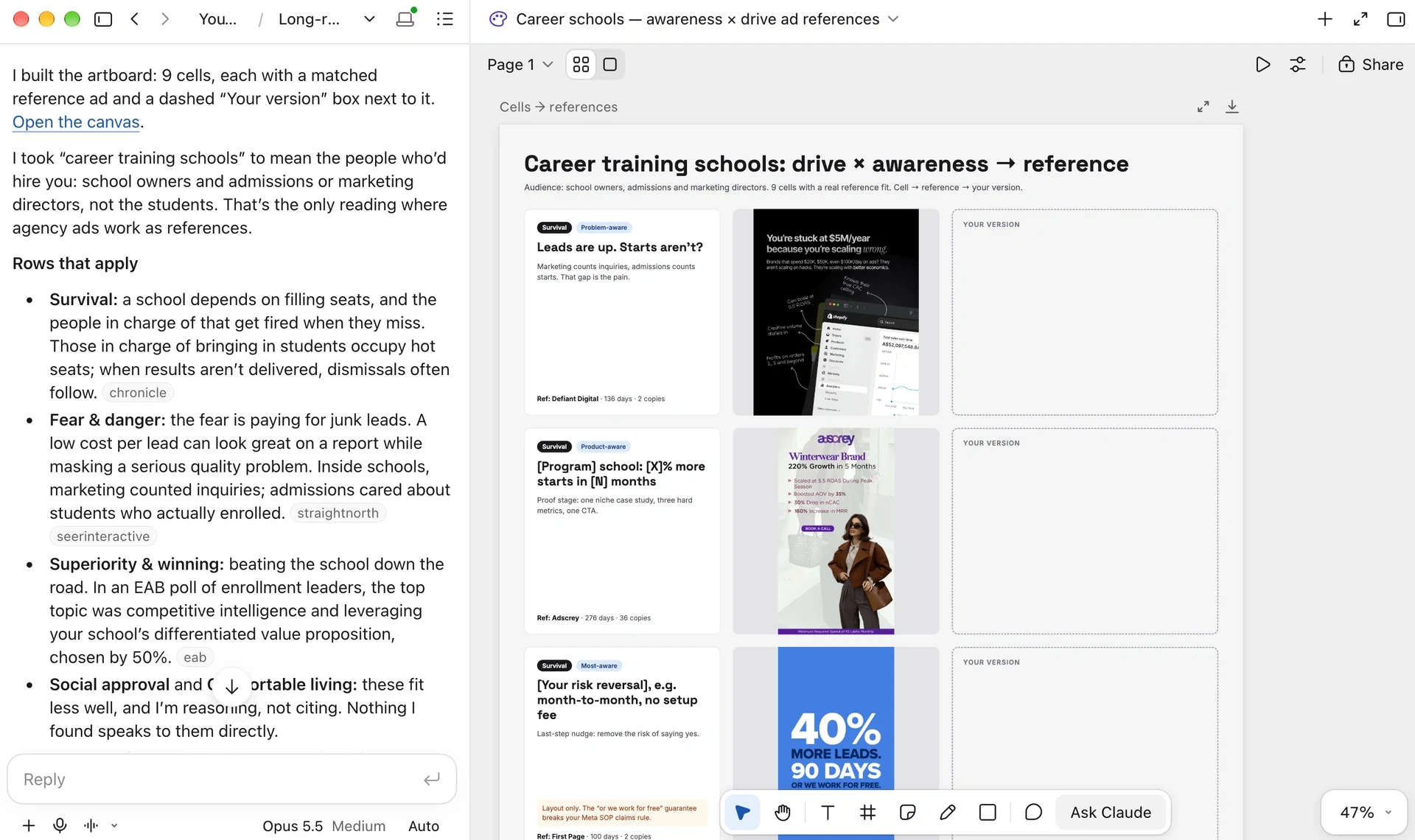
What has it found here? Survival, so that’s a Life Force 8 drive, plus problem aware. That’s the messaging angle it’s suggesting. These aren’t perfect, and you’re going to have to iterate on how those messaging angles are framed. But it gives you a starting point. And it picked ten references, which was the instruction.
What’s cool here is, if you’re doing this for clients, you can share the design as well. You can share it with your clients and say, “Hey, what do you think of these messaging angles and references?” before you spend money creating the creatives.
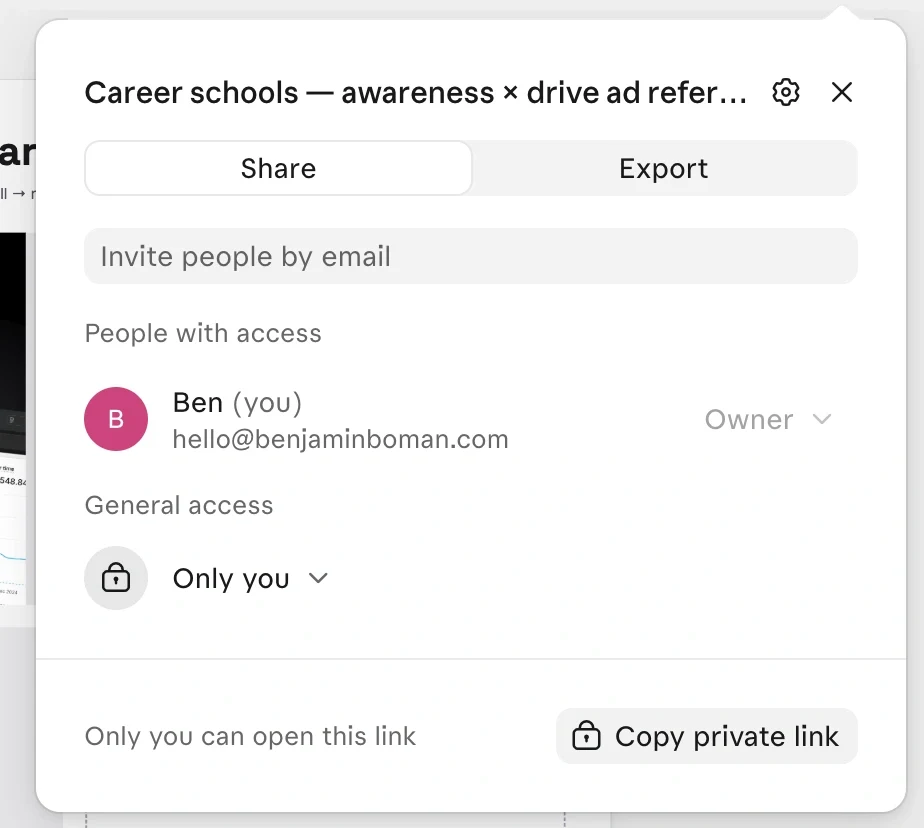
Next, once you’ve done that, you ask it to create the mock-up versions. Here’s the prompt I use:
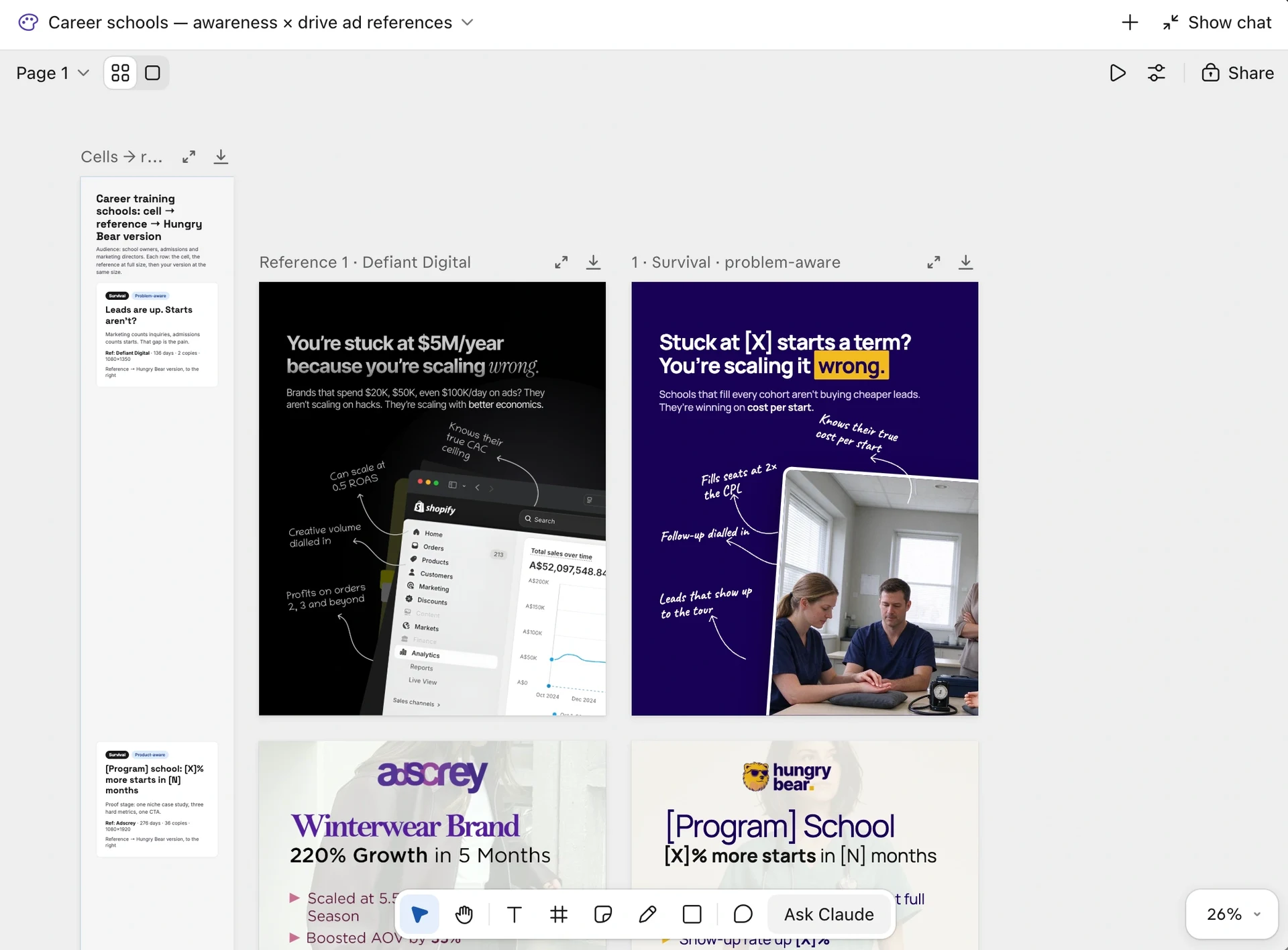
For each concept, create my brand's version using the reference as a wireframe for number of elements, their position and purpose. Put them next to the reference. Success criteria: created ads are the same dimensions, no UI from screenshots included, font sizes and copy lengths are similar, same number of elements (nothing new added), copy matches with messaging planned angle + did not spend more than $1 USD in image generation from openrouter.
Put them next to the reference, otherwise it’s going to put them somewhere else and you can’t easily compare them.
Then there are the success criteria. This is making sure it follows your instructions:
- Created ads are the same dimensions
- No UI from screenshots, because if you screenshot a reference on your phone and add it to your computer, it’s going to try to recreate the CTAs and overlays from Meta or Instagram
- Font sizes and copy lengths are similar
- The same number of elements, so it doesn’t add any new crap onto it
- Copy matches the planned messaging angle, which is what we took from the matrix before
- You didn’t spend more than $1 USD on image generation
That last part is up to you. If you connect OpenRouter, Claude can generate its own images as it does this. Putting that instruction in helps it not blow up your credit card by spending a dollar per image. If you don’t connect OpenRouter, you can just remove that part of the prompt, and most of the time it’ll put placeholders in instead, like a grey square saying “image here”.
So this is what it came up with. You can see it’s even changed the background based on the reference. That’s OpenRouter creating those images, which is not too bad, given it spent less than one dollar for ten different creatives. It’s using my brand colours in this case.
Editing ads in batches
These are some examples that are pretty close to the references, and fairly close to being usable.
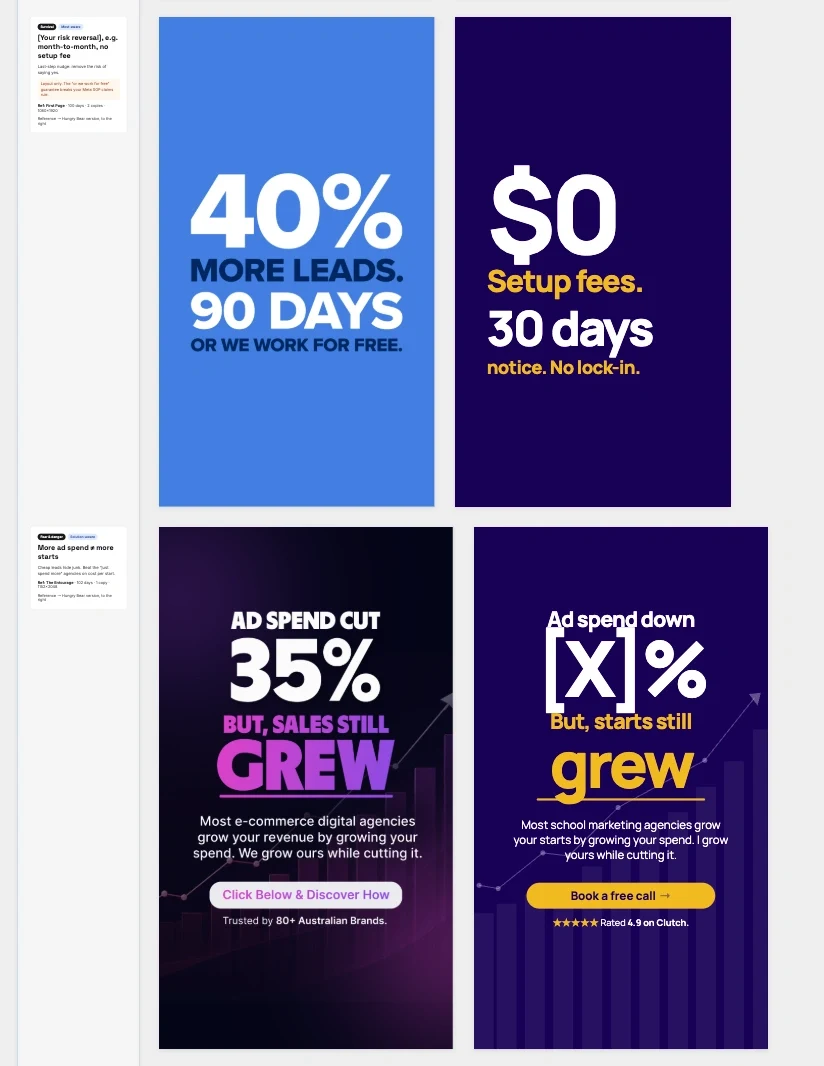

From here, you want to edit them to make them your own, so you just chat back and forth. But because they’re all on one artboard, you can number your feedback. You can say, “For number one, change this. For number two, change this. For number three, change this,” and go through the whole batch rather than doing them one by one. It’s so much easier this way.
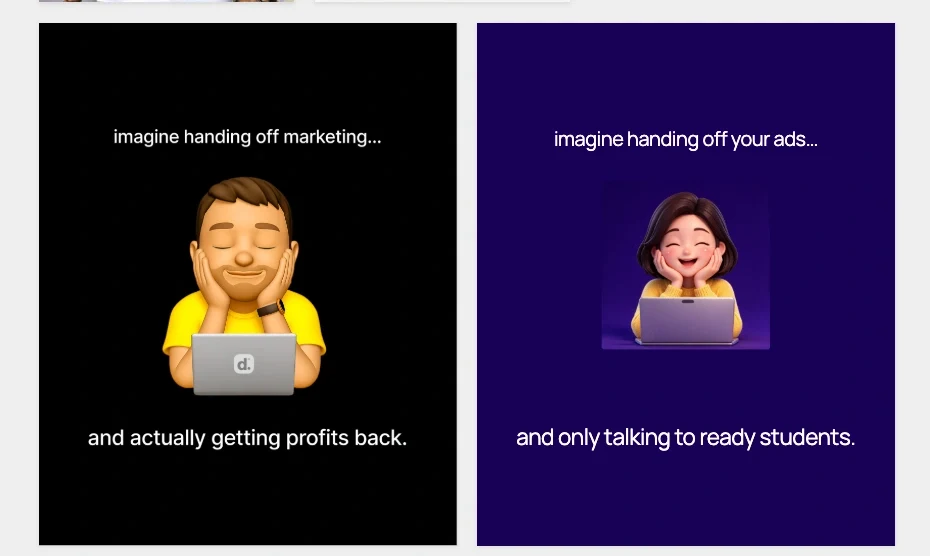
Obviously there’s a bit of an issue with the cutout there, but naturally you’re going to fix any mistakes that come up.
You can also see some of them were just disastrous. One cut out the person wrong, and it just looks terrible. Another I just think is a pretty tacky ad in general, personally, so I wouldn’t do it that way. In this one, I just have to give it the inputs to put in there:
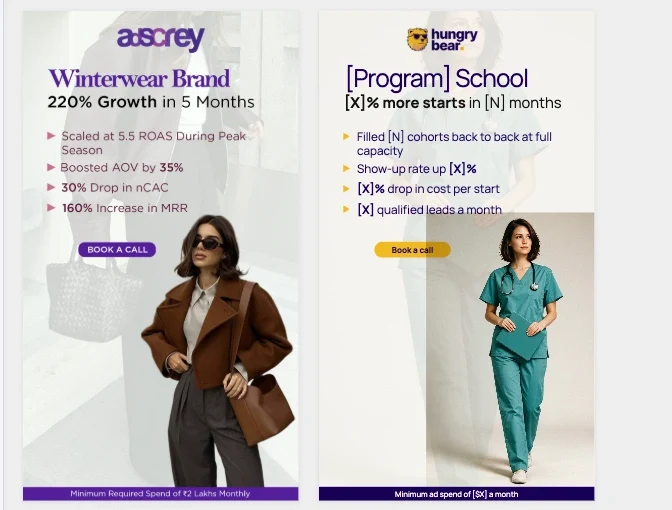
And one was never going to succeed anyway. It needs the actual source material to create that collage background.
So you really have two options here:
- Remove them and try again. So ask it for new references that match the angle
- Or just retry. Ask it to retry number three, number five, number eight, number nine, and keep the same instruction for each concept
Naming ads for AI analysis
One last thing. Once you’ve finished generating the images, I suggest you name them in a way that’s easier for AI to understand, for when you use Claude with Meta’s official MCP, or Meta AI itself, to analyse your ad performance. It can be difficult for it to see what the creative is. But if you name the image file and the ad correctly, it’s much easier for it to understand what those images are.
What I suggest:
- Always put the persona first, for example founders
- Then the type of creative: IMG for image, or VDO for video
- The format, for example BAA for before and after. You’ll have to come up with your own code names for all the different styles
- Then the messaging angle used. I number each cell in the matrix M1 to M-whatever-it-is, 36 or something like that
- Then versioning, so BAA2, BAA3 and so on as I do more variations of the same format
founders_img_baa2_m1
The pattern I use now is a bit different. It’s in how I name Facebook ads.
What’s cool about this is that over time, you can collect data on what kind of formats are really working for your particular industry. That way, you start building up a bit of intellectual property: “Oh, I know these formats work really well, and these formats pretty much never work.”
So that’s it. If you have any questions, let me know in the comments. Otherwise, I’ll see you in the next video.